Omni Designer
Visual Report Designer & Client-Side PDF Engine
Design professional PDF reports visually with integrated client-side PDF generation. No server-side rendering required. Transform your Odoo reporting workflow with our intuitive drag-and-drop interface.
Watch the Omni Designer Overview
Get a quick overview on YouTube
Click to watch on YouTube
Why Choose Omni Designer?
Everything you need to create professional reports, without the complexity of traditional reporting tools.
What You See Is What You Get
Visual design with pixel-perfect accuracy. Canvas matches PDF output exactly.
Instant PDF Preview
See changes in real-time. No server waiting — instant client-side generation.
Native Odoo Integration
Direct access to all Odoo data. No external tools or complex setup needed.
Omni Print Ready
Print directly from your browser via seamless Omni Print integration.
Optimized for Speed
Built with performance in mind. Generate complex reports in milliseconds with our optimized client-side PDF engine.
- Client-side PDF Generation — Faster rendering by offloading PDF generation to browser
- Smart Data Transfer — Only required fields sent
- Image Optimization — LRU cache with compression
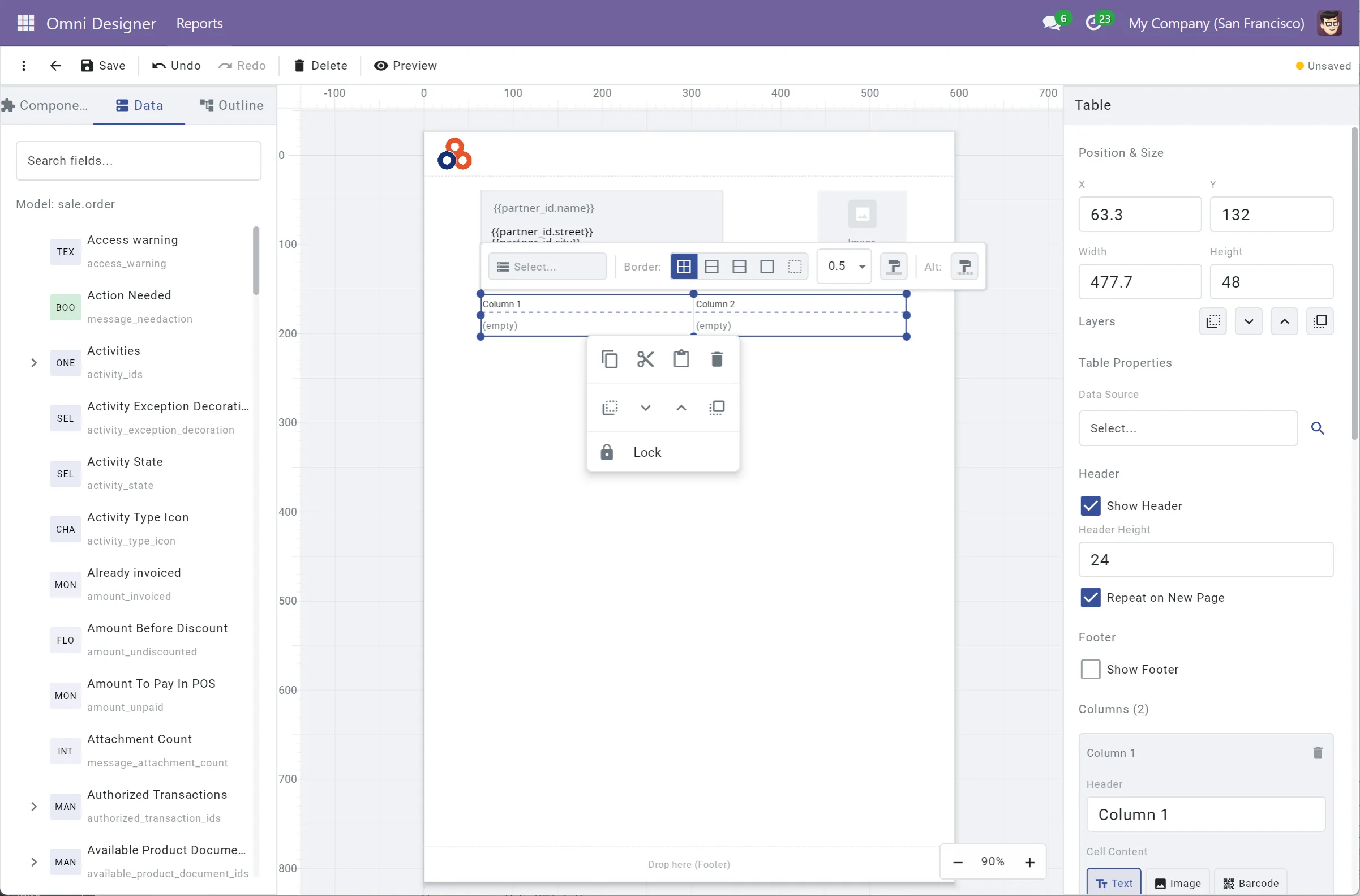
Professional Visual Designer
Design reports like a pro with our comprehensive set of design tools.
Drag & Drop
Add components from palette to canvas
Multi-select & Alignment
Smart guides for precise positioning
Rulers & Grid
Professional layout tools
Undo/Redo
Full history with keyboard shortcuts
Copy/Paste
Including right-click positioned paste
Zoom
Flexible zoom levels for precision work
Layer Ordering
Bring to front/back control
Keyboard Shortcuts
Speed up your workflow
- Real-time property panel
- Context menu support
- Element locking
- Smart snapping
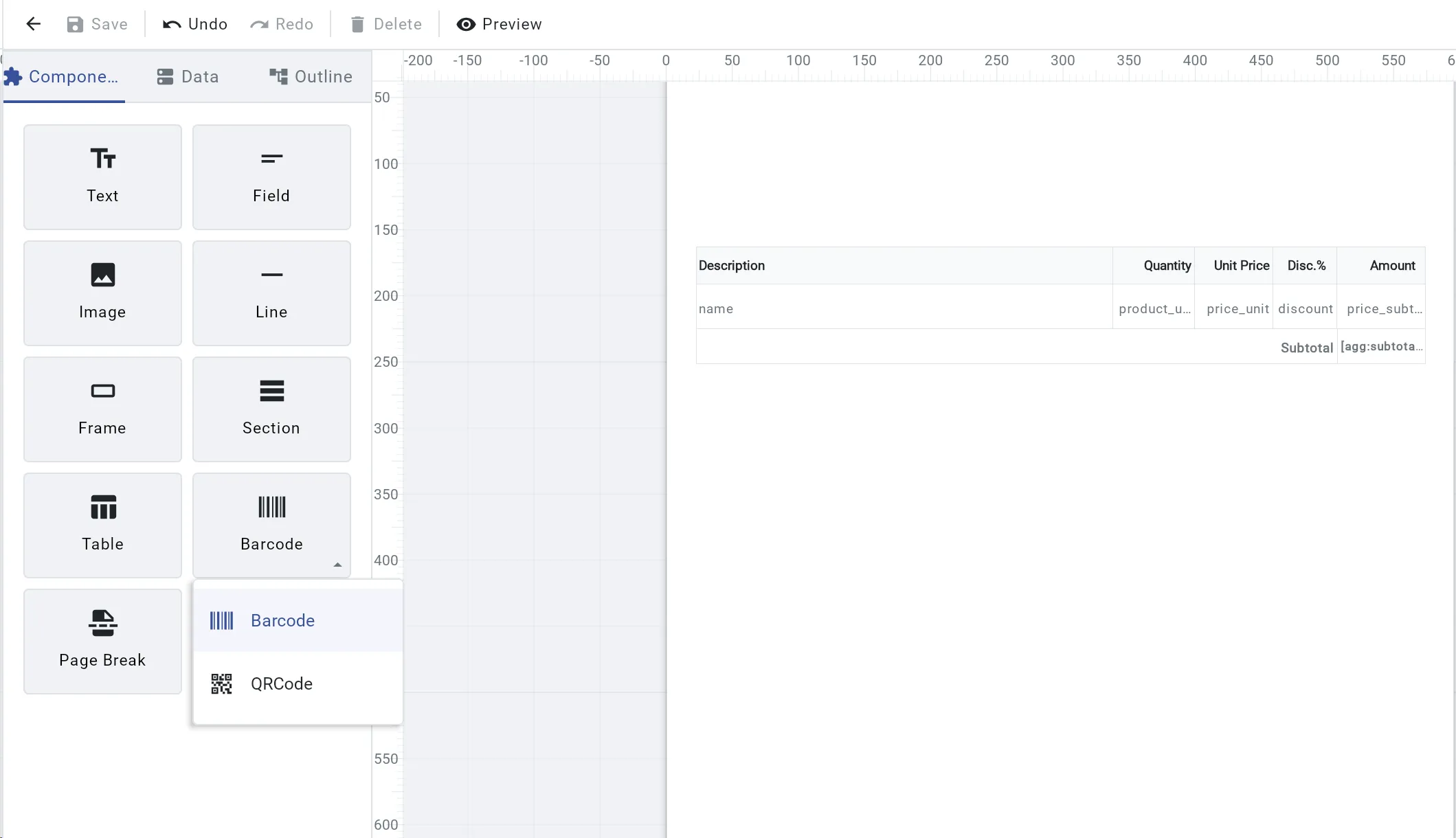
Rich Component Library
Everything you need to build any type of report.
Everything You Need
Text
Rich text with formatting
Image
Insert and position images
Barcode
QR Code, Code128, EAN13
Table
Dynamic tables with binding
Frame
Group and layout control
Section
Header, footer, body
- Field — Field selector, expression, format (HTML, date, number, currency)
- QR Code, Code128, EAN13 — and more barcode formats
- Table — WYSIWYG design, conditional columns, header repeat
- Section — Data-driven repeating blocks
- Shape — Rectangle, Ellipse, Triangle, Star
- Line & Frame — Visual separators
- Page Break — Control pagination
- Image Library — Drag-drop upload, manage and preview resources
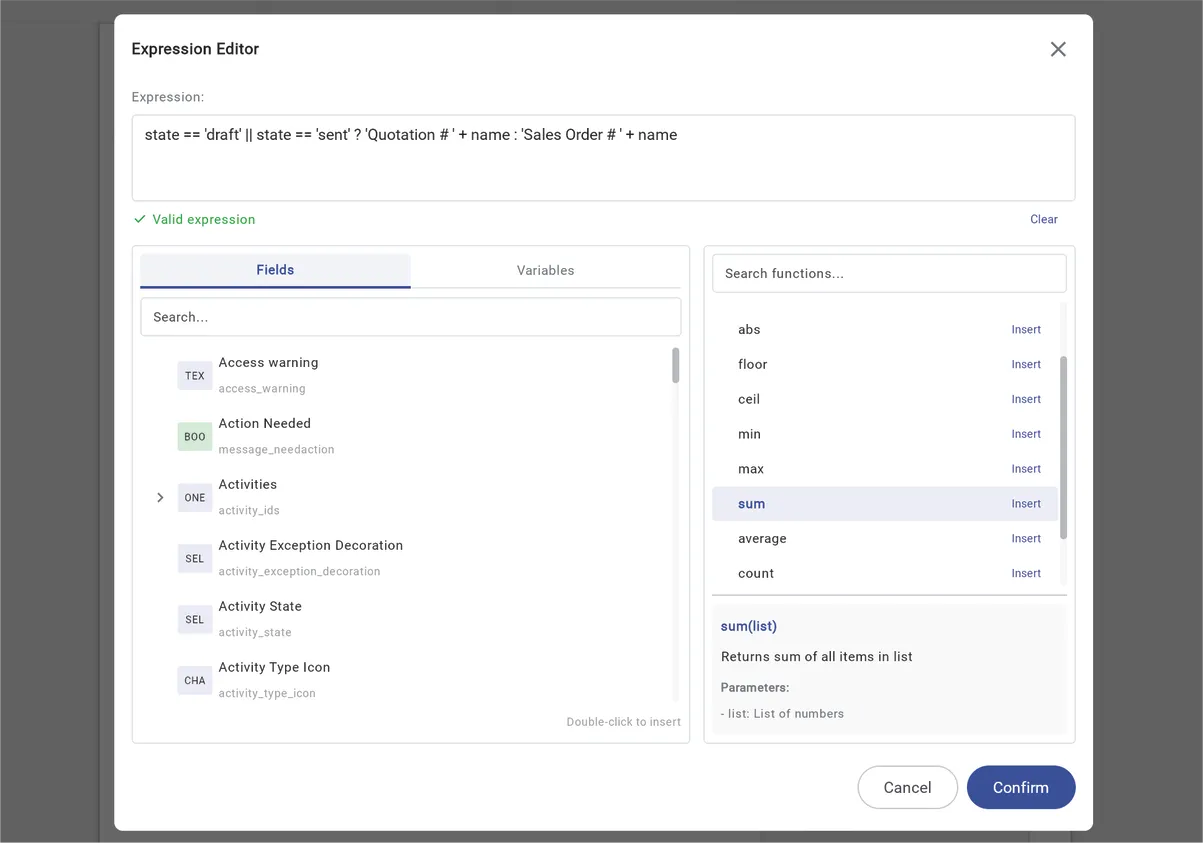
Powerful Data Binding
Connect your reports to Odoo data effortlessly with our powerful data binding features.
Field Picker
Browse and select from model fields with an intuitive tree-based picker.
Expression Editor
Write complex calculations with syntax highlighting and auto-completion.
Aggregate Functions
Built-in support for sum, count, average, min, max, and custom aggregations.
Related Fields
Access fields from related models seamlessly (partner_id.name, order_line.product_id).
- Conditional Styles — Change colors based on data values
- Record Picker — Select specific records for preview
- Nested Relations — Access partner_id.name, order_line.product_id
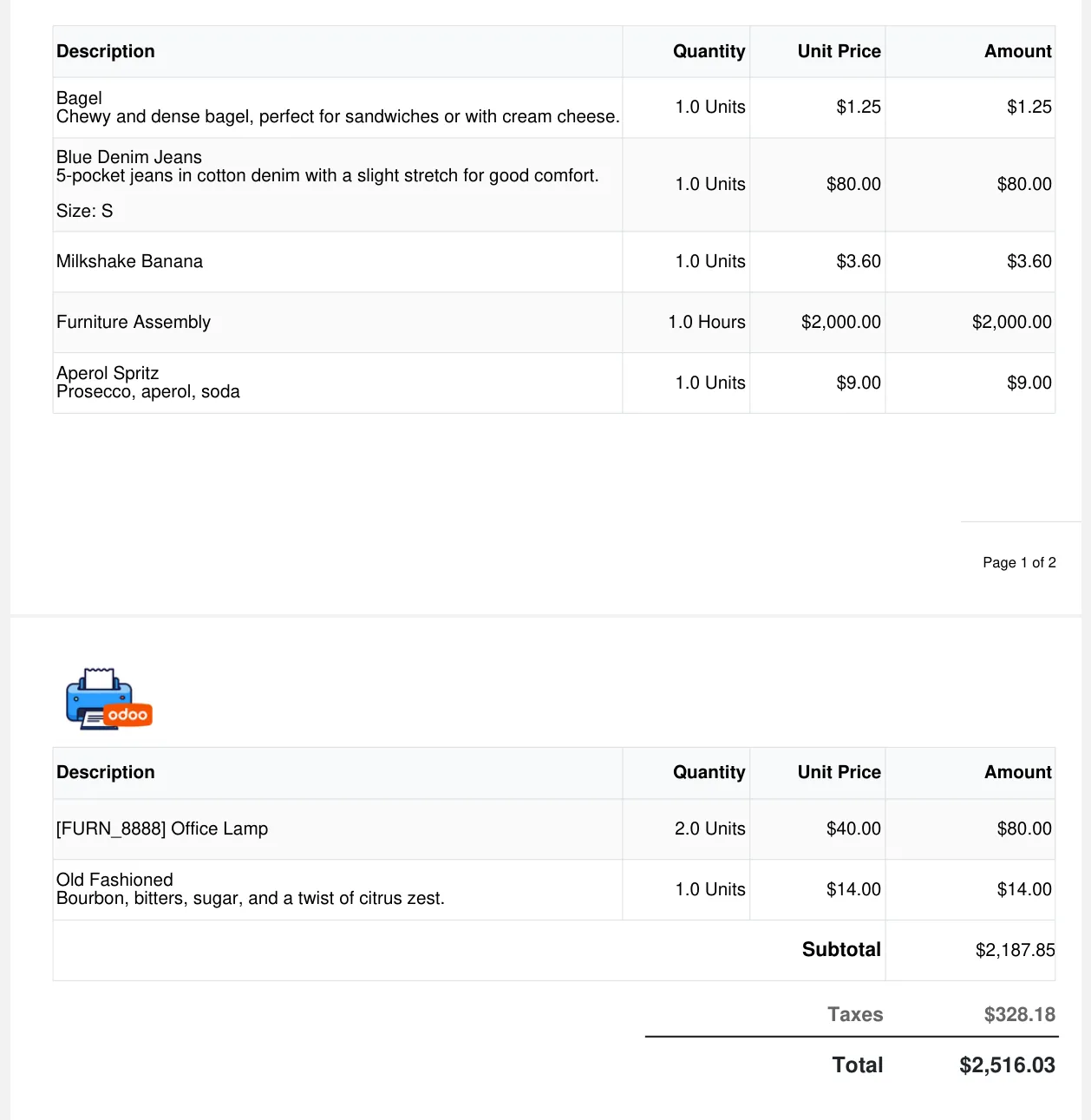
Production-Grade PDF Engine
Generate professional PDFs instantly without server processing. Our client-side engine delivers exceptional performance and flexibility.
Smart Pagination
Automatic page breaks with support for repeating headers and footers.
Multi-language Support
Full support for international text including CJK, Arabic, and European languages.
RTL Support
Native right-to-left text support for Arabic and Hebrew languages.
Instant Generation
Generate PDFs in milliseconds directly in the browser.
- Keep Together — Prevent awkward element splitting
- Number Formatting — Currency symbols, thousand separators
POS Receipt Design
Design professional thermal receipts with the same visual designer. Requires separate module: omni_report_pos.
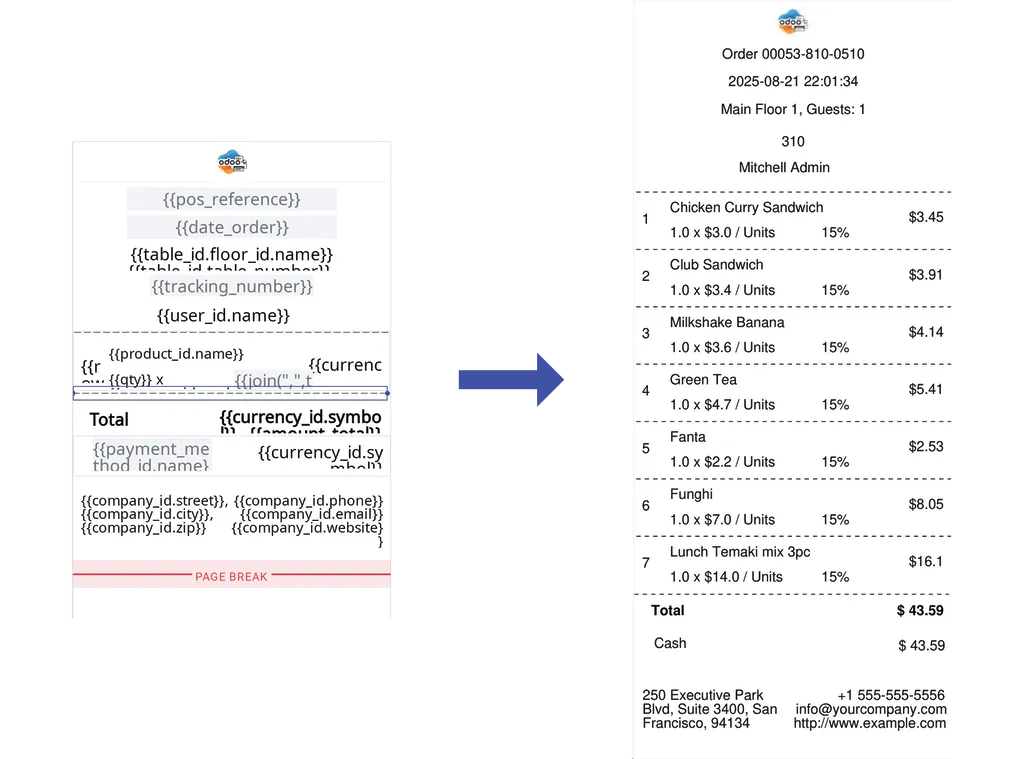
Thermal Receipt Printing
Fully Offline Rendering
Generate receipts without internet - works even when connection drops
Continuous Paper Layout
Design receipts for thermal printers with automatic length adjustment
Compatible Print Channels
Generates receipt images just like Odoo POS - compatible with IoT Box, Web Print, etc.
Auto Data Binding
Order info, line items, restaurant tables - all automatically bound
Odoo Integration
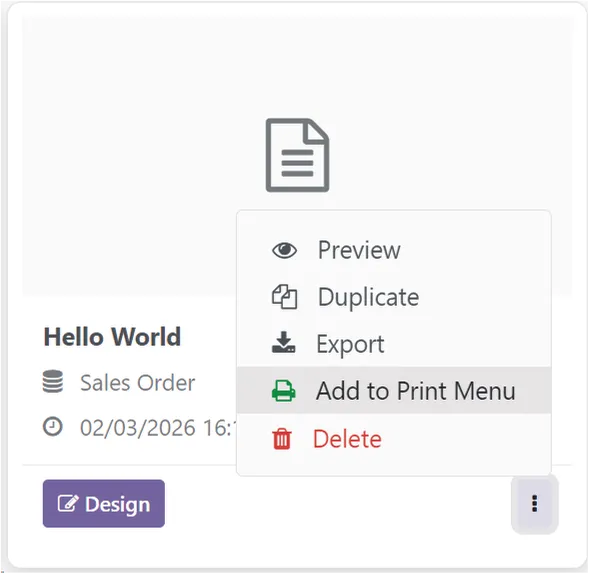
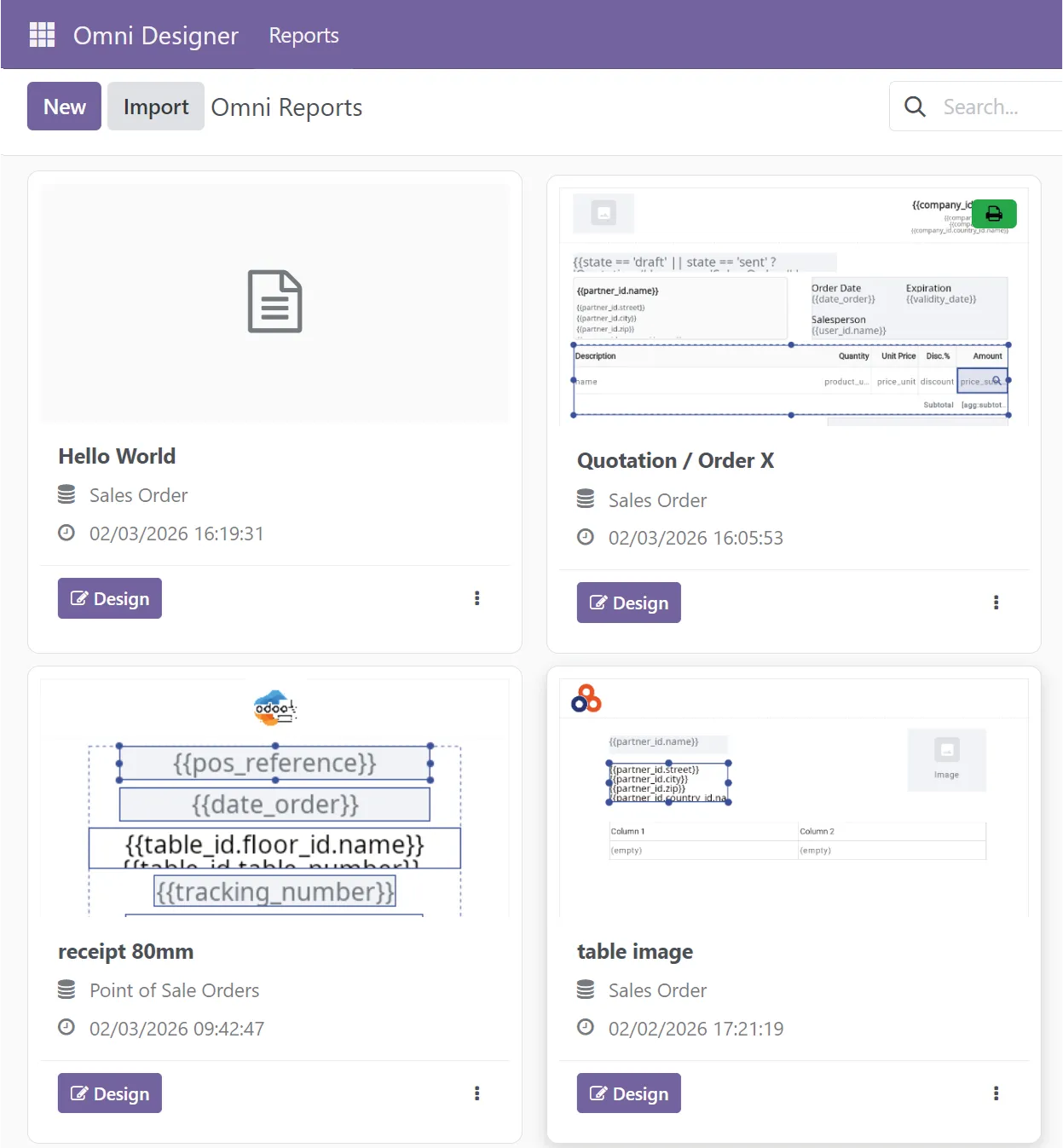
Deploy & Manage Your Reports
Print Menu Binding
Add/remove from print menu in one click
Create & Duplicate
Start from scratch or clone existing templates
Import/Export
Share templates as JSON files
- Batch Export - Export multiple templates as ZIP
- Thumbnails - Visual preview in template list
Compare with Alternatives
See how Omni Designer compares to other reporting solutions for Odoo.
vs QWeb Reports
- Visual design instead of XML coding
- Real-time preview without server rendering
- Faster report generation
- Easier maintenance and updates
Best For
Teams wanting visual report design without technical complexity
vs Jasper Reports
- No Java server required
- Native Odoo integration
- Client-side PDF generation
- Simpler deployment
Best For
Odoo users wanting integrated solution without external servers
vs Other Tools
- Purpose-built for Odoo
- Direct model access
- Seamless print workflow
- POS receipt support
Best For
Businesses that need complete Odoo-native reporting solution
FAQ
Quick troubleshooting for Omni Designer
Ready to design?
Get started with Omni Designer today and transform your Odoo reporting workflow.
Demo login: demo / demo