
AI Assistant Provider Setup
Prerequisites
Section titled “Prerequisites”- The modules listed in Where to find it are installed; omni_ai is free on the Odoo Apps Store.
- You can reach Settings > Technical, which requires system administrator rights (the System group).
- Your users hold an AI access group.
Step 1: Enable a provider
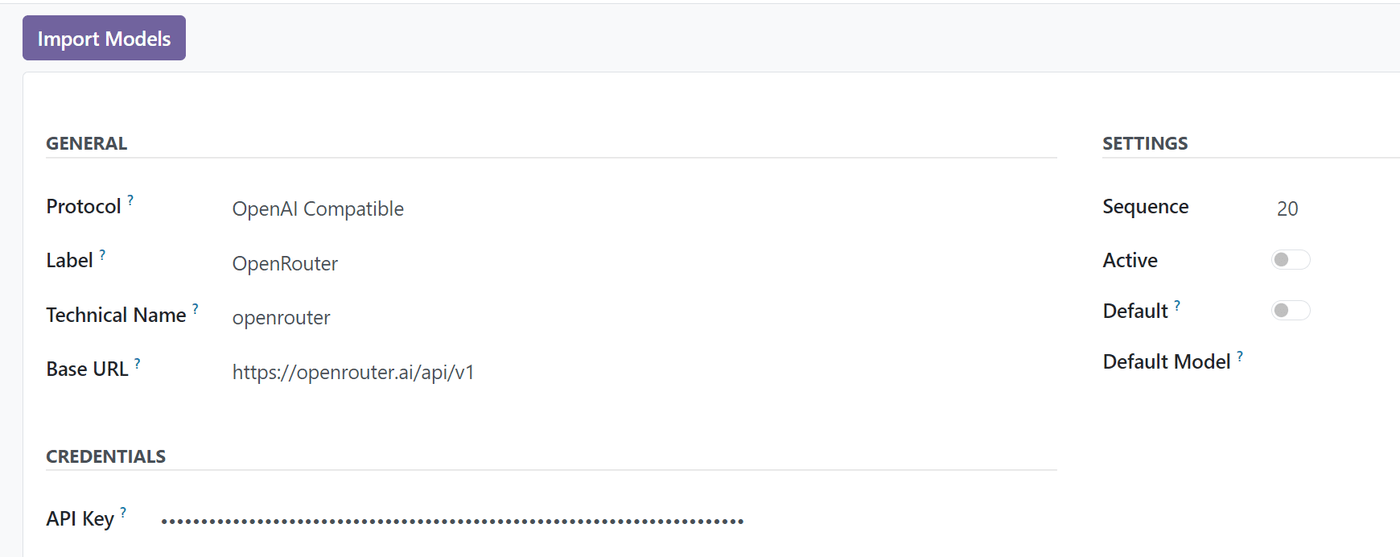
Section titled “Step 1: Enable a provider”Open Settings > Technical > Omni AI > AI Providers. The Technical menu needs developer mode: enable it in Settings, or use Manage Providers in the Omni AI section of the Settings app. Omni AI ships with a list of preset providers, all archived by default. Enable one, fill in your API key, and save.
Presets are one flat list of 19 records across 15 providers, because several vendors appear once per endpoint region (Global and CN). Ollama (Local) instead points at a model runtime on your own machine.
| Provider | Protocol | Base URL |
|---|---|---|
| OpenAI | openai (OpenAI Compatible) | https://api.openai.com/v1 |
| Anthropic | anthropic (Anthropic) | https://api.anthropic.com |
| Google (Gemini) | gemini (Google Gemini) | https://generativelanguage.googleapis.com/v1beta |
| xAI (Grok) | openai (OpenAI Compatible) | https://api.x.ai/v1 |
| Mistral | openai (OpenAI Compatible) | https://api.mistral.ai/v1 |
| Groq | openai (OpenAI Compatible) | https://api.groq.com/openai/v1 |
| OpenRouter | openai (OpenAI Compatible) | https://openrouter.ai/api/v1 |
| Perplexity | openai (OpenAI Compatible) | https://api.perplexity.ai |
| Ollama (Local) | openai (OpenAI Compatible) | http://localhost:11434/v1 |
| DeepSeek | openai (OpenAI Compatible) | https://api.deepseek.com |
| Moonshot (Kimi) Global | openai (OpenAI Compatible) | https://api.moonshot.ai/v1 |
| ZAI (GLM) | openai (OpenAI Compatible) | https://api.z.ai/api/paas/v4 |
| Volcano Ark | openai (OpenAI Compatible) | https://ark.ap-southeast.bytepluses.com/api/v3 |
| MiniMax Global | openai (OpenAI Compatible) | https://api.minimaxi.com/v1 |
| Moonshot (Kimi) CN | openai (OpenAI Compatible) | https://api.moonshot.cn/v1 |
| Alibaba (Qwen) CN | openai (OpenAI Compatible) | https://dashscope.aliyuncs.com/compatible-mode/v1 |
| Zhipu (GLM) CN | openai (OpenAI Compatible) | https://open.bigmodel.cn/api/paas/v4 |
| Volcano Ark (Doubao) CN | openai (OpenAI Compatible) | https://ark.cn-beijing.volces.com/api/v3 |
| MiniMax CN | openai (OpenAI Compatible) | https://api.minimax.chat/v1 |
Step 2: Set default models
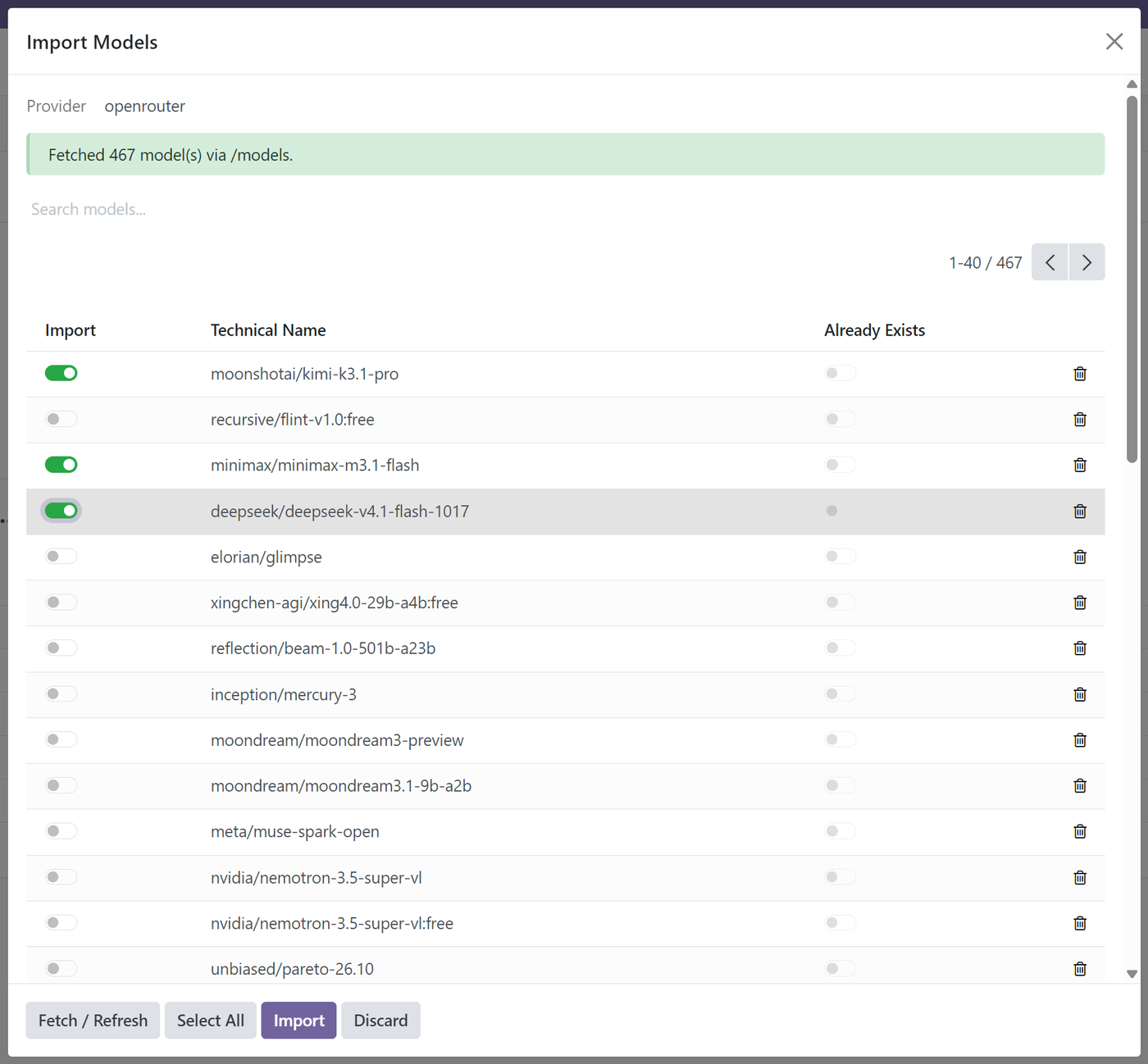
Section titled “Step 2: Set default models”Go to Settings > Technical > Omni AI > AI Models and fill the model list for your enabled provider (developer mode required, or use Manage Models in the Omni AI section of the Settings app).
- Import Models reads the catalog from the provider record itself, using that provider’s own base URL. For
openaiproviders, it requests{base_url}/modelsfirst and then{base_url}/v1/modelswhen the base URL does not already end in/v1. - Anthropic is called with
x-api-keyandanthropic-versionheaders; Gemini usesx-goog-api-key, keeps only models that supportgenerateContent, and strips themodels/prefix; Azure goes through{base_url}/openai/deployments?api-version=.... - A
404or an unrecognised body moves on to the next candidate path, and if all fail the wizard reports No list endpoint and points you to the provider’s Models tab. A401/403means the key needs checking, while5xxresponses and network failures just leave the wizard open to retry. - Existing models are pre-checked and skipped on import; imported ones default to a
128000context window with thetoolsandjsoncapabilities. The fetch times out after 30 seconds and search matches technical names. - Add manually if you use a local or private endpoint that does not expose a model list endpoint.
- Pick the default provider and its default model, falling back to the provider’s first active model. Without
one, users get an
AI_NOT_CONFIGUREDerror (see the FAQ).

Step 3: Verify the setup
Section titled “Step 3: Verify the setup”Log in as a regular AI user, open the designer on any template, and send one minimal request, for example “make the body text 10pt”. The change should appear on the canvas when the answer finishes.
Turn on Request log in Settings > Omni AI, then open Settings > Technical > Omni AI > Request Log (developer mode required) and confirm one entry landed with the user, model, tokens, latency, and status. If the request fails, the error sections in the FAQ cover the usual causes.